
Automating MTM Accrual Posting in Levridge: A Smarter, Faster Approach
| Published: Apr 1, 2026 | Accounting , Grain , Product Updates , Release Notes | read
 read
readWhat to Know
- MTM accruals can now be posted directly from the MTM form in Levridge, eliminating manual GL entry and reducing posting errors.
- Configurable grouping, accounts, and dimensions ensure accrual journals align with your commodity accounting setup—by commodity, item group, or single entry.
- Built‑in validation, auto‑reversal, and locking controls help maintain accuracy, consistency, and audit integrity across MTM‑to‑GL posting.
This enhancement brings automation, consistency, and flexibility directly into the MTM workflow, giving users the ability to generate accrual journals straight from the MTM form—no more manual GL entry required. Here’s a look at what’s new and why it matters.
Why This Feature Is Needed
Previously, Levridge provided MTM data through inquiry screens but stopped short of letting users post accruals directly. Teams had to re‑enter the numbers into GL journals by hand. The new capability eliminates that gap, allowing accruals to be created automatically using configured posting accounts, commodity parameters, and grouping rules. This means:
- A smoother MTM-to-GL flow
- Less manual work
- More consistent posting
- Fewer errors
Key Setup Enhancements
The system adds several configuration updates to support automated accrual posting:
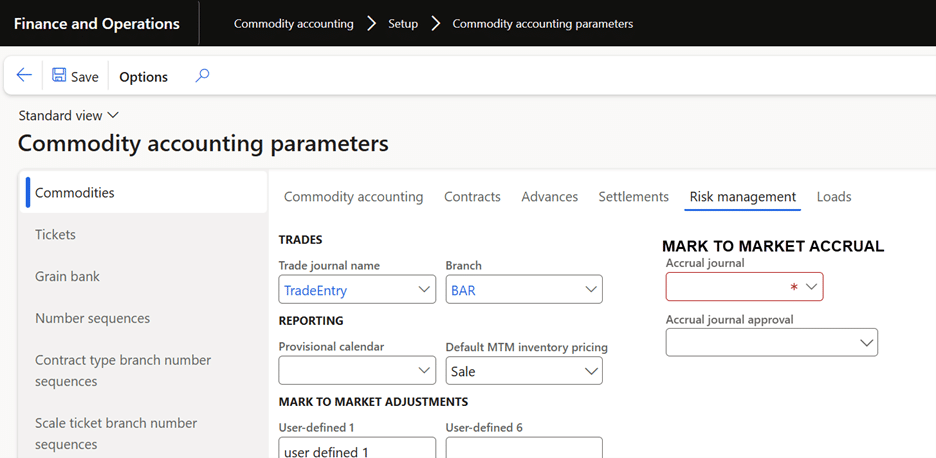
1. Commodity Accounting Parameters
A new Mark to market accrual section lets users define:
- Accrual journal name (must be a Daily journal type)
- Default journal approver
2. Posting Accounts for MTM Types
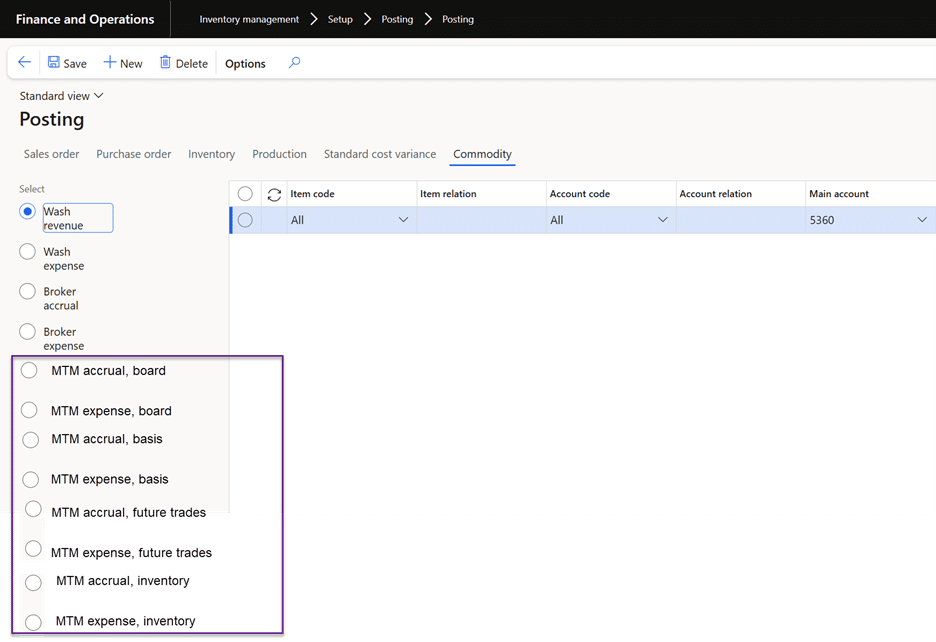
Eight new transaction types ensure proper GL mapping, including accrual and expense accounts for:
- Board
- Basis
- Future trades
- Inventory
Each requires a Main account and uses Account code = All, ensuring predictable account behavior across entries.
Posting from the MTM Form
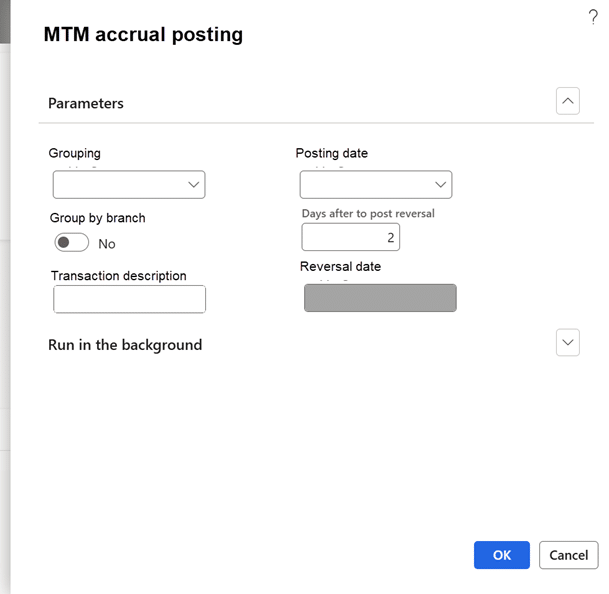
The heart of this new functionality lives inside the MTM screen. Users can now choose MTM accrual from the action pane, opening a guided dialog that captures:
- Grouping method: Single entry, Item group, or Commodity
- Group by branch: Yes/No
- Transaction description
- Posting date and Auto-calculated reversal date
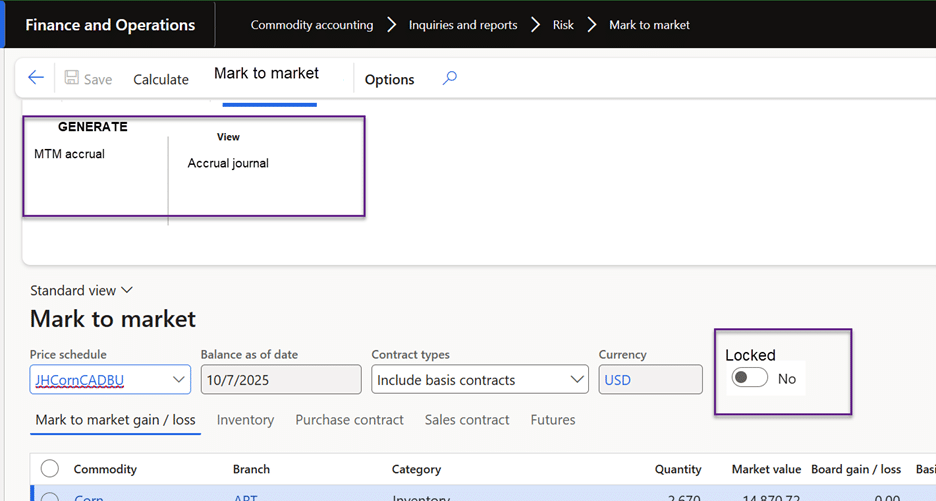
The system then creates a complete unposted GL journal, giving users a chance to review.
If an accrual already exists, Levridge provides helpful warnings without blocking users unnecessarily.
Flexible Grouping Options
Organizations structure their data differently, so Levridge provides multiple grouping methods:
Single Entry
Summarizes all commodities (with optional branch separation). Ideal for high‑level accruals.
Item Group
Creates entries by product groups like Grain or Feed. Useful for teams managing financials by product category.
Commodity
Creates entries per commodity (and per branch if selected), offering the most granular detail.
Each method determines:
- How many GL journals are created
- Which posting accounts are chosen
- How financial dimensions default (from item, site, branch, or journal)
Smarter Account & Dimension Logic
Across all scenarios, the system uses a tiered approach to determine the correct accounts—first checking for the most specific (Table), then Item group, then All. If no valid posting accounts exists, the user gets actionable guidance such as: “Posting accounts for selected commodities are not defined” when selecting to post the accrual.
Financial dimensions also follow a structured hierarchy, pulling from:
- The posting account
- The branch (if grouped)
- The item (when applicable)
- The accrual journal defaults
This ensures consistency while honoring client-specific setups.
Locking for Data Integrity
The system locks accruals after generation, preventing recalculations or edits. This status syncs between the MTM form and the Market price schedule, helping maintain accuracy and auditability.