
Gain Earlier Visibility into Freight Costs with Ticket-Level Freight Accruals
| Published: Oct 7, 2026 | Accounting , Grain , Product Updates , Release Notes | read
 read
readThis enhancement in Levridge Commodity Accounting introduces automated freight bill accrual posting, allowing organizations to recognize freight costs when they become known.
Why Freight Accrual Visibility Matters
Many organizations rely on month-end processes to accrue outstanding freight expenses. While effective, this approach can limit visibility into actual transportation costs throughout the accounting period. The new functionality enables freight accruals to be posted at the ticket level when a freight bill is created, providing a more accurate picture of pending freight obligations and supporting better financial planning and decision-making.
This ensures that accruals stay aligned with operational activity. The system automatically adjusts accruals when a freight bill is voided, closed, or invoiced partially or fully by reversing the previous accrual and posting an updated amount. If freight amounts change, users must manually repost the accrual to update it.
How Freight Bill Accrual Posting Works
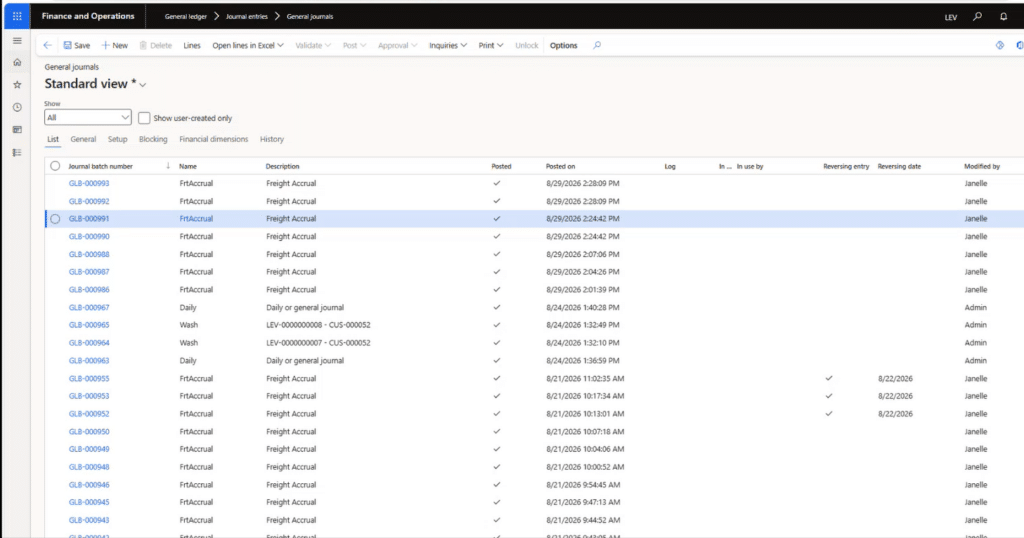
A new Accrue Freight Per Ticket option allows organizations to automatically post freight accruals when freight bills are created. The system generates a journal entry for each freight bill, creating a detailed audit trail and improving traceability. When the freight bill is invoiced, the accrual is automatically reversed or updated.
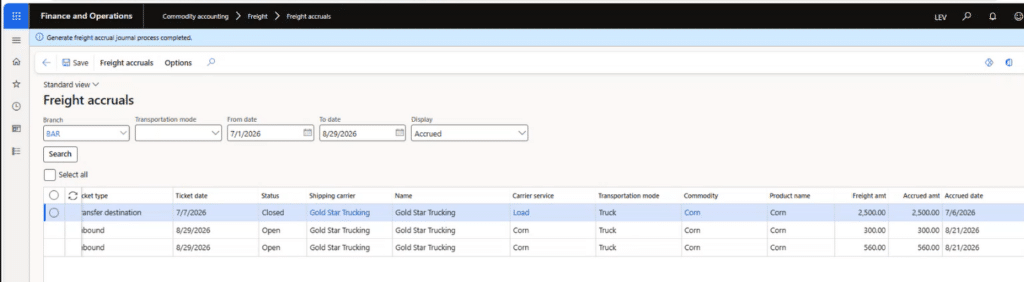
The solution also introduces a new Freight Accruals form where users can view accrued and unaccrued freight, review accruals for unsettled tickets, and post accruals as needed. Users can drill into related tickets, freight bills, carrier information, and posted journals, making it easier to research and reconcile freight-related transactions.
Where to Find Freight Bill Accrual Posting
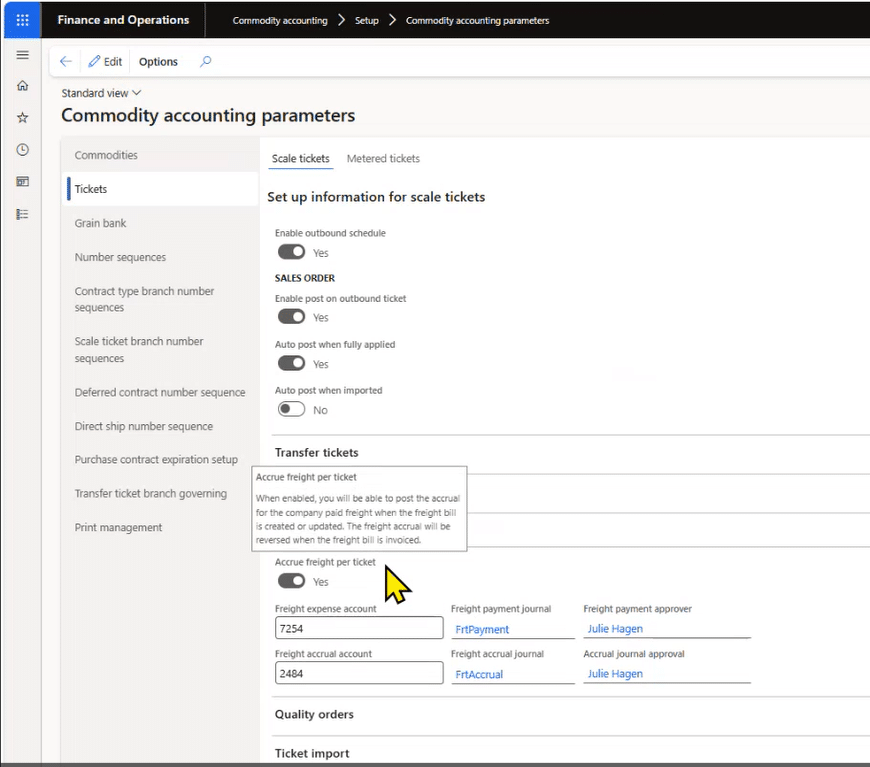
Users can enable the feature by:
- Navigating to Commodity Accounting > Setup > Commodity Accounting Parameters
- On the Tickets tab, enable Accrue Freight Per Ticket in the Freight section
View and Manage Freight Accruals
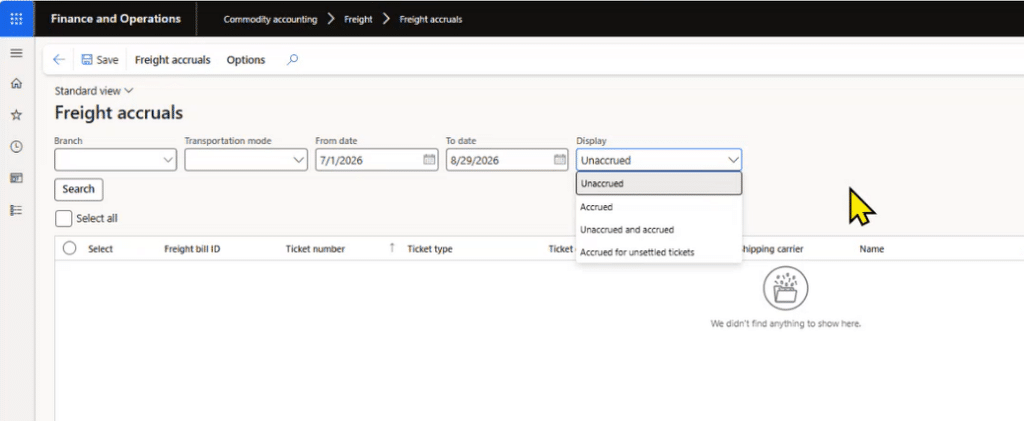
- Navigate to Commodity Accounting > Freight > Freight Accruals
- Review accrued and unaccrued freight bills.
- Filter by branch, transportation mode, date range, and accrual status.
- View related tickets, freight bills, carriers, and accrual journals.
- Generate freight accrual postings directly from the Freight Accruals form.
Review Accrual Journal History
- Navigate to Commodity Accounting > Freight > Freight Invoicing
- Select a freight bill and choose Accrual Journals to view all posted accrual entries associated with that freight bill.
- Users can also access accrual journal history from the Freight Accruals inquiry form
Built for Accuracy and Auditability
The system preserves financial integrity by preventing the deletion of freight records associated with posted accruals. When users remove freight details, void tickets, or close freight bills, it creates reversing entries to maintain a complete audit trail. Journal history remains linked to the freight bill, allowing finance teams to trace every adjustment from the original accrual through final invoicing.
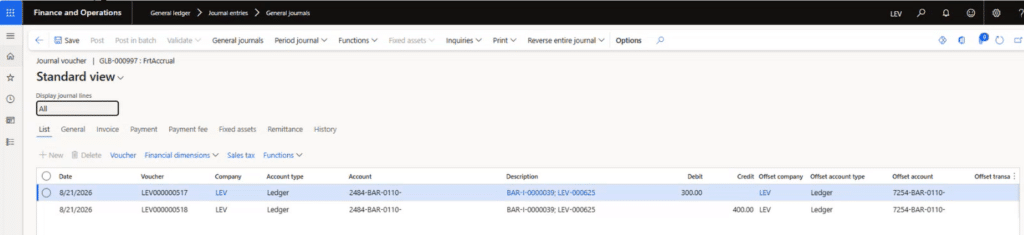
Freight Invoicing
Freight invoicing now automatically reverses posted accruals as freight bills are fully or partially invoiced, keeping freight expenses aligned with actual invoice activity. Users can also view related accrual journals directly from the freight bill for a clear audit trail.
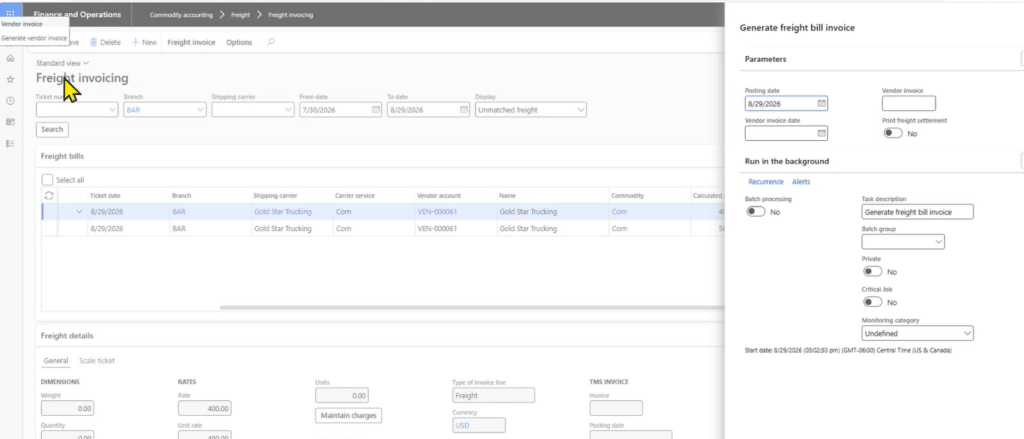
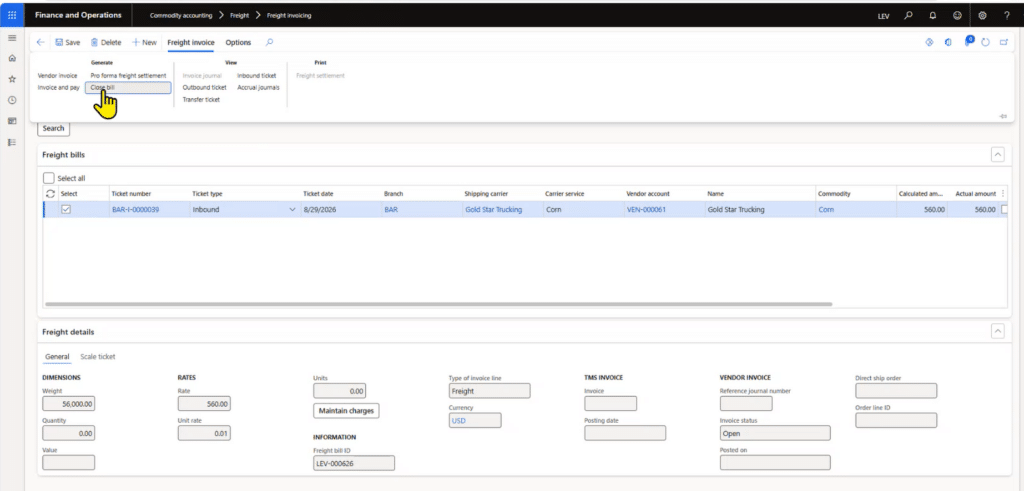
Delete / Close Out a Freight Bill
Users can now close freight bills directly from Freight Invoicing, providing greater control over managing outstanding freight costs. When a bill is closed, the system automatically reverses any related freight accruals, ensuring accurate financial reporting and account balances.
Key Benefits for Finance and Operations Teams
With Freight Bill Accrual Posting, organizations can:
- Recognize freight liabilities as soon as freight costs are known.
- Improve month-to-month financial visibility and forecasting.
- Automate accrual reversals when freight bills are invoiced.
- Keep accruals synchronized with freight bill updates and partial invoices.
- Maintain a clear audit trail with journal entries linked to individual freight bills.
- Quickly identify accrued, unaccrued, and unsettled freight obligations through dedicated inquiry screens.
- Reduce manual month-end accrual activities and reconciliation effort.
By automating freight accrual posting and maintaining continuous alignment between freight activity and financial reporting, agribusinesses gain more timely cost visibility, stronger auditability, and greater confidence in their financial data.
Additional Resources
- YouTube Video: https://youtu.be/CazGcc6ikP4
- Commodity Accounting