
Simplifying Vendor Payments: Ability to Pay Another Vendor in Settlement Payments and Purchase Advances
| Published: Feb 17, 2026 | Accounting , Grain , Product Updates , Release Notes | read
 read
readManaging settlements and purchase advances in the agriculture industry often involves complexities – especially when payments need to go to multiple parties. Growers can request that portions of their payments be directed to landlords, hired hands, or even organizations like churches. Government programs such as the Commodity Credit Corporation (CCC) add another layer, requiring payments to entities other than the grower. Until now, handling these scenarios has been cumbersome.
We’re excited to introduce a new feature in Levridge Commodity Accounting 2025 R3 that makes multi-vendor settlements and advances easier, faster, and more accurate.
What’s New
The new functionality allows users to select different vendors for split payments on settlements and purchase advance payments to another vendor. This means you can process payments to multiple vendors within a single settlement without manual workarounds.
Key enhancements include:
- Updated forms and reports to display vendor account and “Pay to the order of” information.
- Ability to add multiple vendors in settlement requests.
- Purchase advances cannot be split, but they can go to another vendor.
How It Works
Settlement Request Wizard
Navigate to Commodity Accounting > Inbound > Settlement > Settlement Request > New.
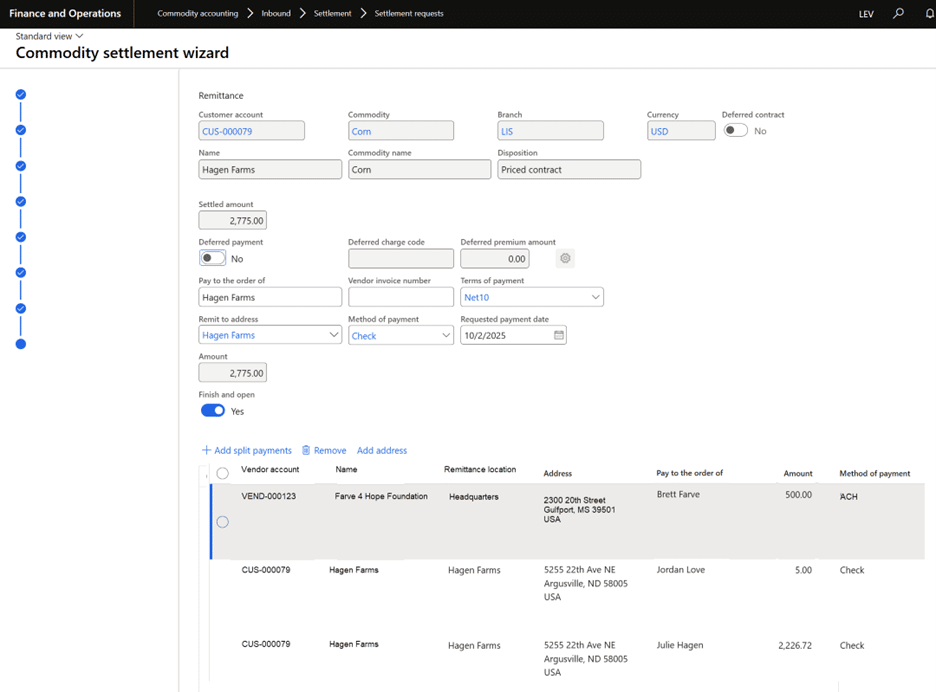
- On the Remittance step, use the split payments grid to add vendors.
- The vendor account defaults to the one linked to the customer but can be changed using the lookup.
- When you select a different vendor, the system automatically updates:
- Remittance location
- Pay to the order of
- Method of payment
- You can still override these defaults if needed.
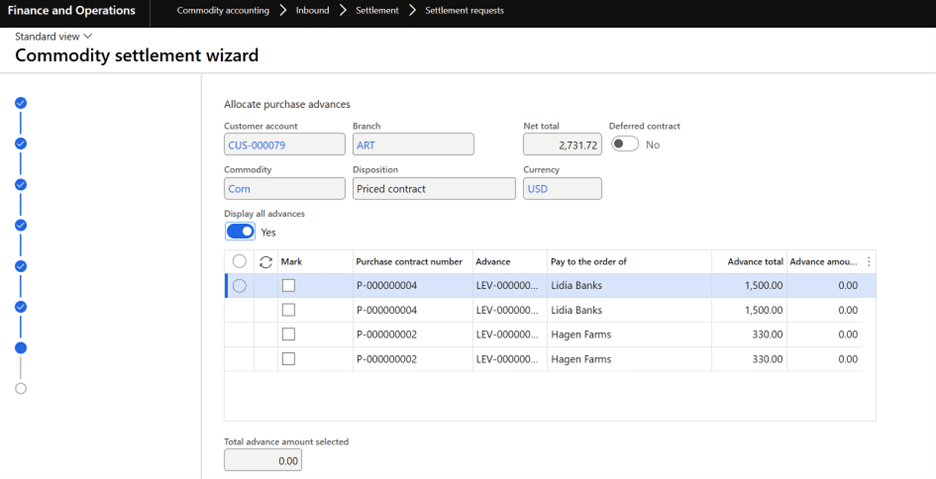
Settlement Request Form
Navigate to Access Commodity Accounting > Inbound > Settlement > Settlement request
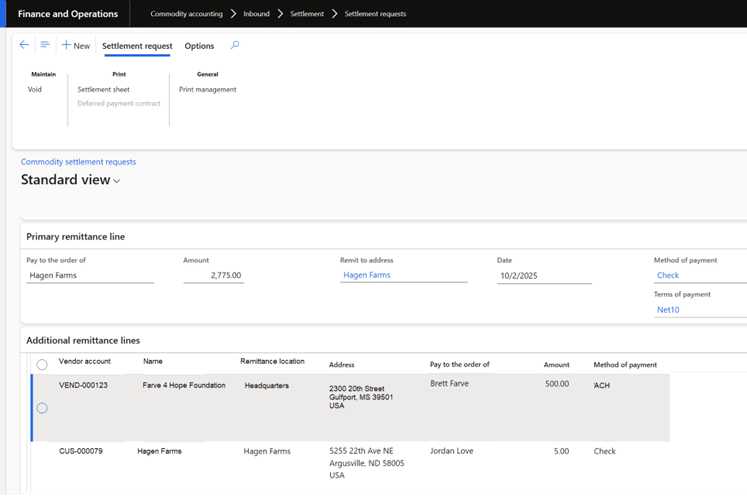
Settlement Request Payment
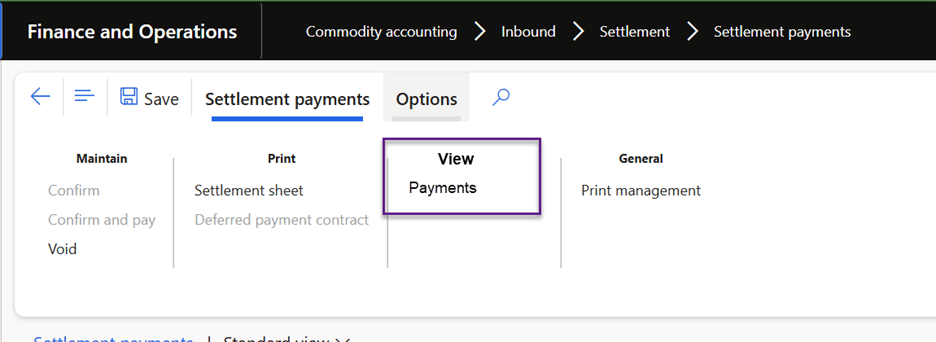
Navigate to Access Commodity Accounting > Inbound > Settlement > Settlement payment
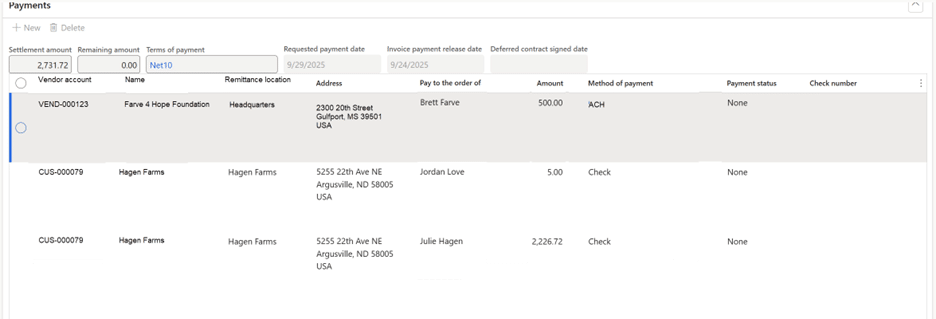
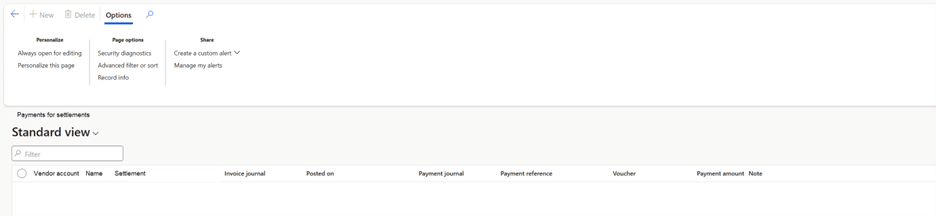
The settlement payments now has a new option “View Payments”.
Note field from the payment can be found on the Payment tab of the vendor payment:
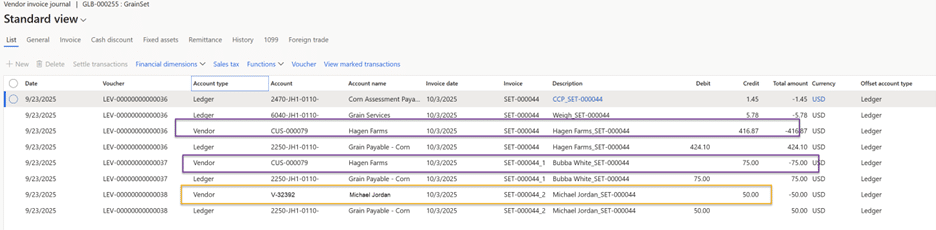
When the vendor journal is created, the voucher lines will look like this:
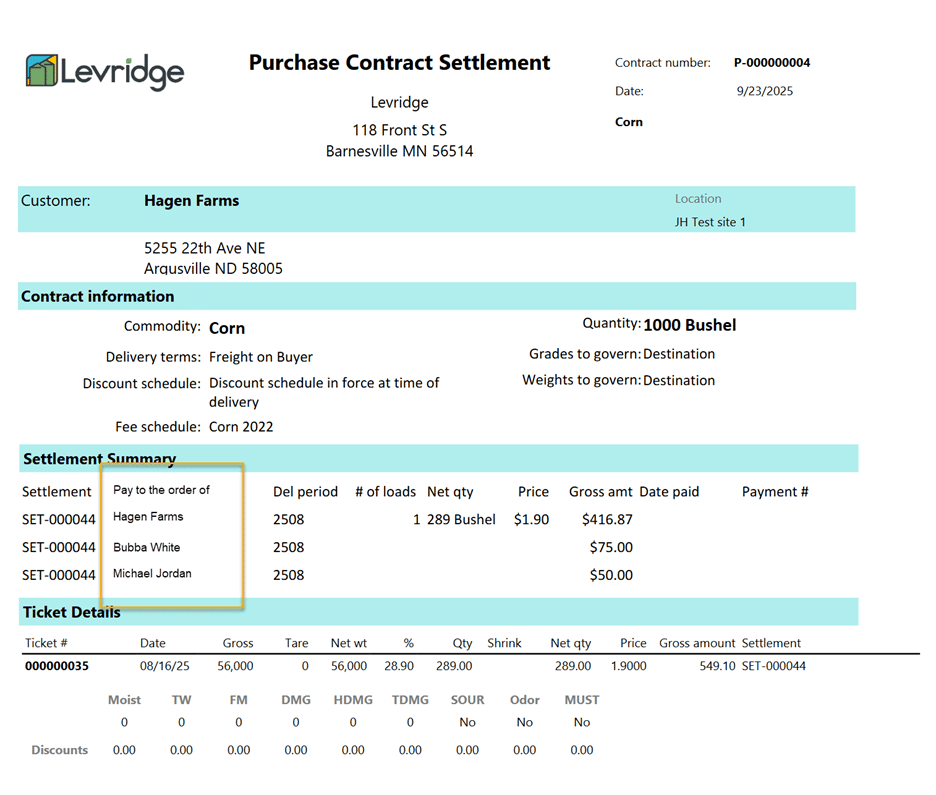
Purchase Contract Settlement Report
Navigate to Commodity accounting > Inbound > Contract > Purchase contracts > Contract settlement (in the Generate group of the Purchase contract action pane)
Purchase Contract Settlements List
Navigate to Commodity accounting > Inbound > Contract > Purchase contracts > Settlements (in the View group of the Purchase contract action pane)

Purchase Advances
Navigate to Commodity Accounting > Inbound > Settlement > Purchase Advance.
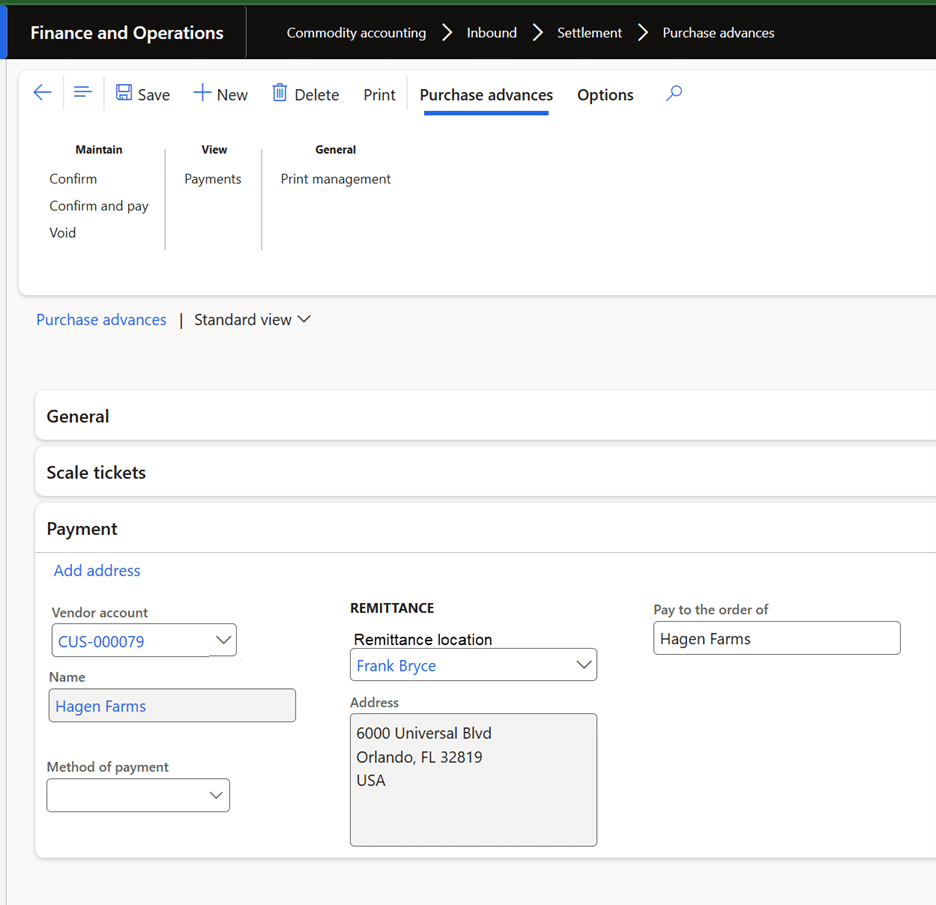
- Add vendor details in the payments tab.
- The system defaults the vendor account and remittance details but allows changes.
- Voiding rules ensure accuracy—advances cannot be voided if payments exist.
When the vendor journal is created the voucher lines will look like this:

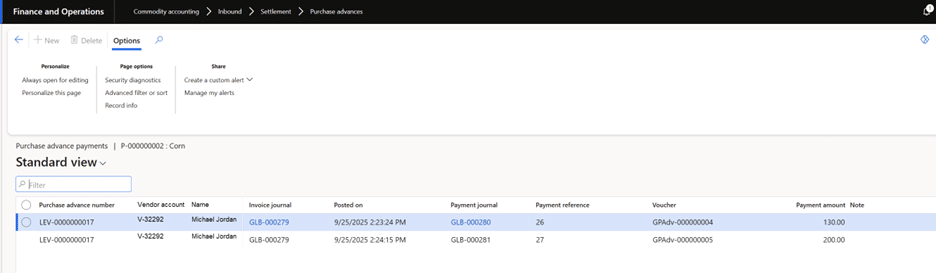
When the user clicks the Payments menu item on the Purchase advance action pane, the Purchase advance payments list page displays:
Benefits of This Feature
- Efficiency and Time Savings
No more manual adjustments or separate transactions for each vendor. Handle everything in one process. - Improved Accuracy
Automatic defaults for remittance details and payment methods reduce errors. - Enhanced Transparency
Updated reports and forms provide clear visibility into all vendor payments, including:- Settlement summaries
- Payment lists
- Purchase advance details
- Compliance and Control
Supports centralized payments, check reprints, and positive pay file generation with correct “Pay to the order of” details.
Best Practices
- Ensure the General Ledger parameter “Allow multiple transactions with one voucher” is enabled.
- Review payment terms: All vendors on a settlement follow the terms of the primary vendor.
- Use the Payments view to track all transactions linked to a settlement or advance.
Additional Resources
View the accompanying YouTube video
For more information on Commodity Accounting, visit Commodity Accounting Solution.