
Simplify Contract Terms Management for Agribusiness Contracts
| Published: Sep 23, 2026 | Accounting , Grain , Product Updates , Release Notes | read
 read
readThe Contract Terms feature in Levridge Commodity Accounting provides a centralized way to define, manage, and apply contract language across both sales and purchase contracts. Users can maintain standardized contract terms, select the appropriate clauses for each contract, and automatically include them on printed contract documents.
How It Works
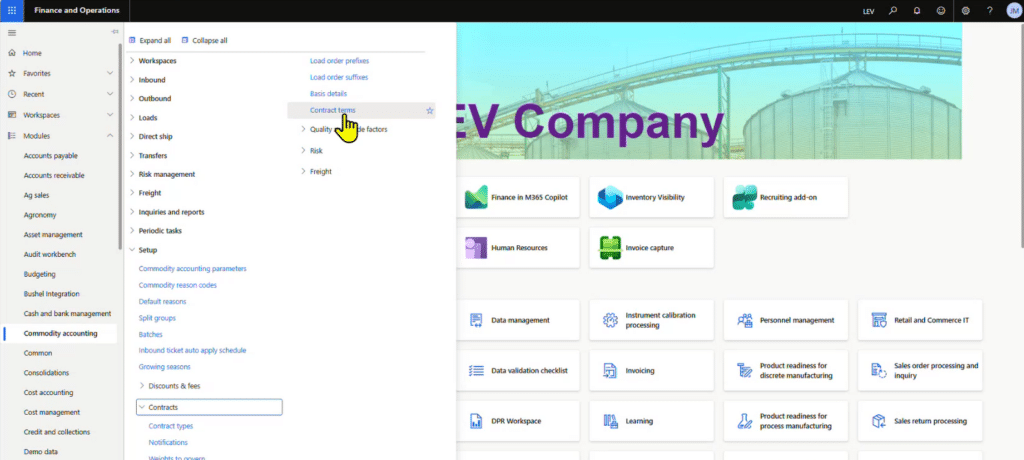
Contract administrators can create and maintain reusable contract terms in the Levridge Commodity Accounting setup. To access, go to: Commodity accounting > Setup > Contracts > Contract terms
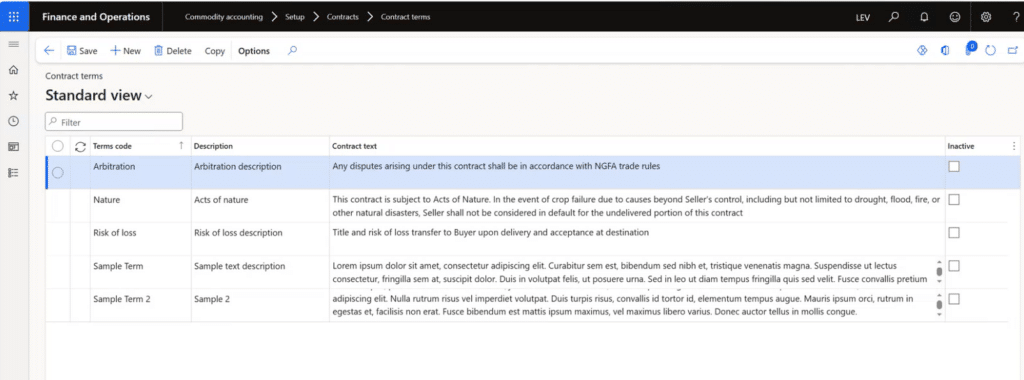
Each term includes a unique code, description, and contract text that can be reused across multiple contracts. Terms can be copied, updated, or marked inactive when no longer needed.
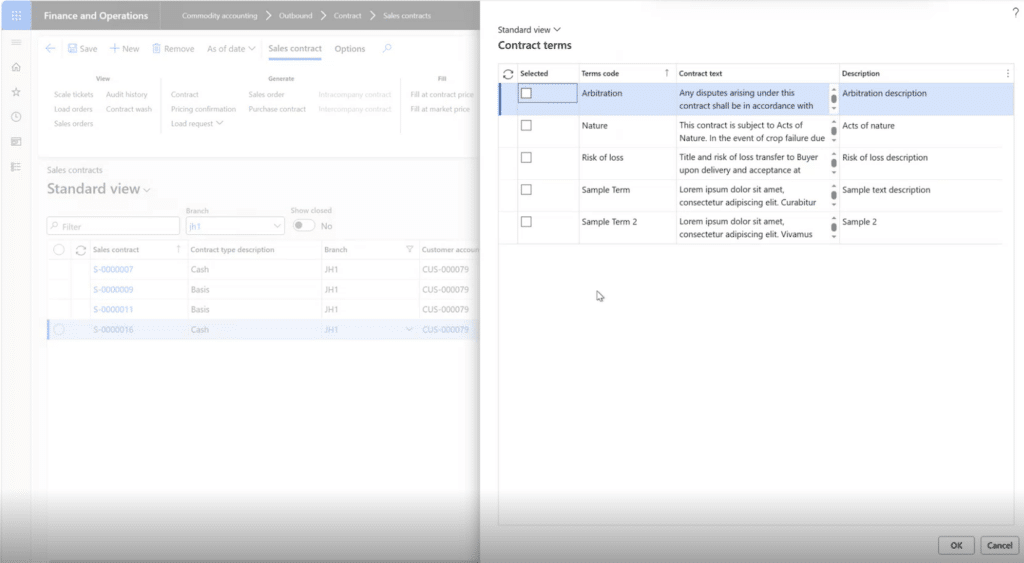
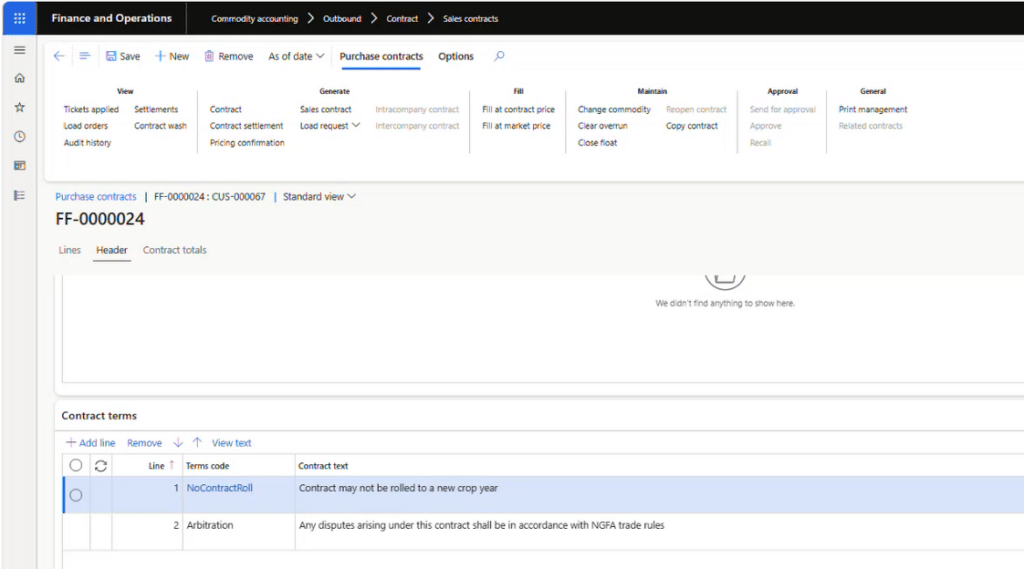
multiple contract terms. Terms are added through a dedicated Contract Terms dialog and displayed on a Contract Terms tab within the contract header. Users can organize the order of terms, view the complete assembled contract text before printing, and add/remove terms while contracts remain open.
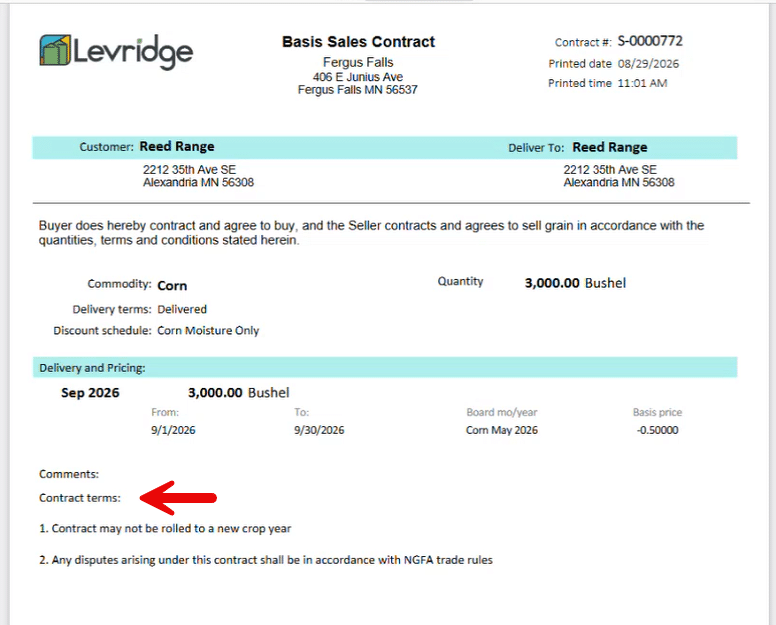
Selected terms automatically appear on supported contract reports. The system combines the text from each selected term, numbers each clause, preserves formatting, and prints the information directly on the contract document.
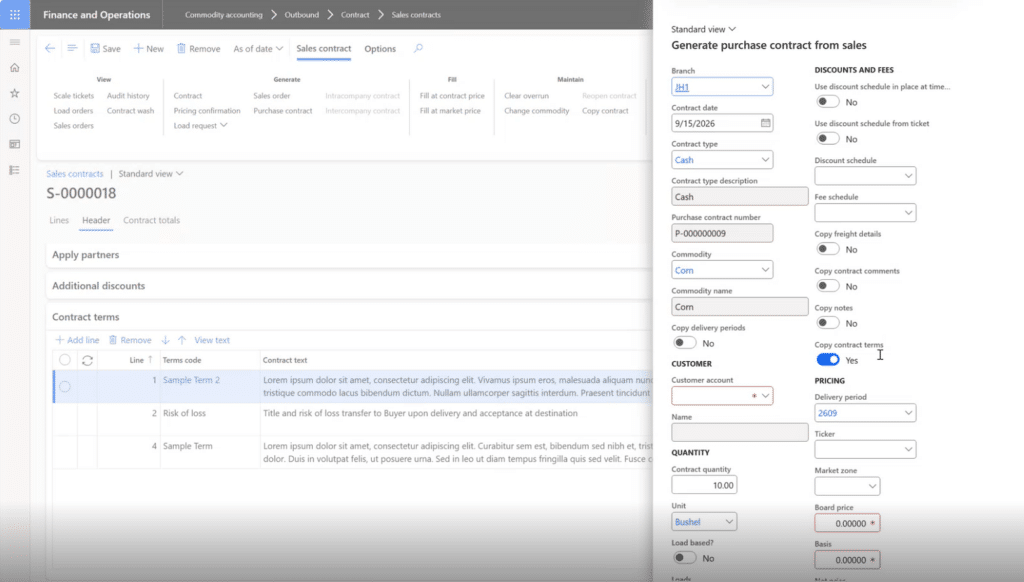
Contract terms are copied when contracts are copied or when users generate a sales contract from a purchase contract, or a purchase contract from a sales contract. This eliminates the need to re-enter the same language and helps maintain consistency across transactions. Inactive terms are automatically excluded from new contracts.
Generating a Sales Contract
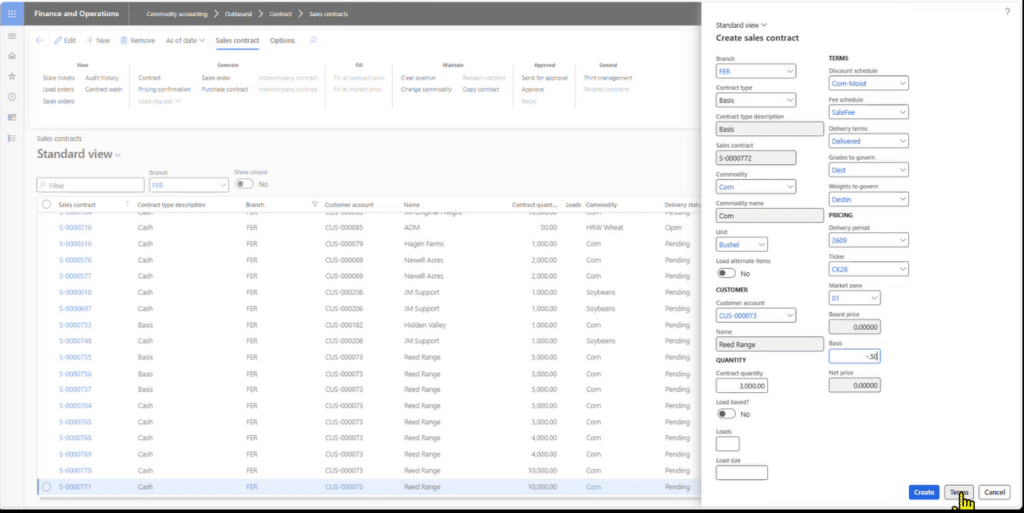
Users can add contract terms during contract creation using the Terms option or manage them later from the Contract Terms tab on the contract header. Multiple terms can be selected, sequenced, previewed using View Text, and updated while the contract remains open.
Creating a Purchase Contract
When generating a purchase contract from a sales contract, users can use the Contract terms toggle to determine whether the selected contract terms should be copied to the new purchase contract. If enabled, all active contract terms are copied automatically, while inactive terms are excluded and an informational message notifies the user which terms were not transferred.
Audit History
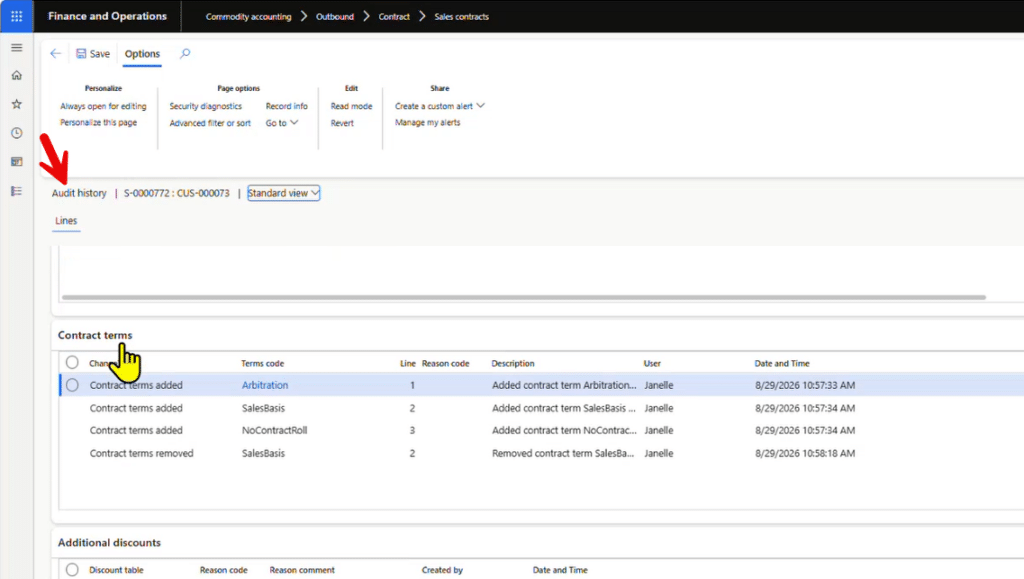
Changes to contract terms on sales and purchase contracts are tracked in Audit History. Audit History includes when terms are added or removed. If Audit History reason codes are enabled in Commodity Parameters, users are prompted to provide a reason for the change. Sequence number changes are not tracked in Audit History.
Why It Is Important
Customer-specific requirements, delivery conditions, commodity details, and legal addendums frequently need to accompany sales and purchase contracts. Managing those terms manually can create inconsistencies, increase administrative work, and make it difficult to ensure the correct language appears on every contract. The Contract Terms feature helps organizations:
- Standardize frequently used contract language.
- Apply customer-specific terms consistently across contracts.
- Reduce manual edits during contract creation.
- Improve visibility into exactly what terms will print on a contract.
- Maintain audit history when contract terms are added or removed.
- Preserve historical contract language while preventing inactive terms from being used on new contracts.
Additional Resources
- YouTube Video: https://youtu.be/_gjt04dmHx8
- Commodity Accounting